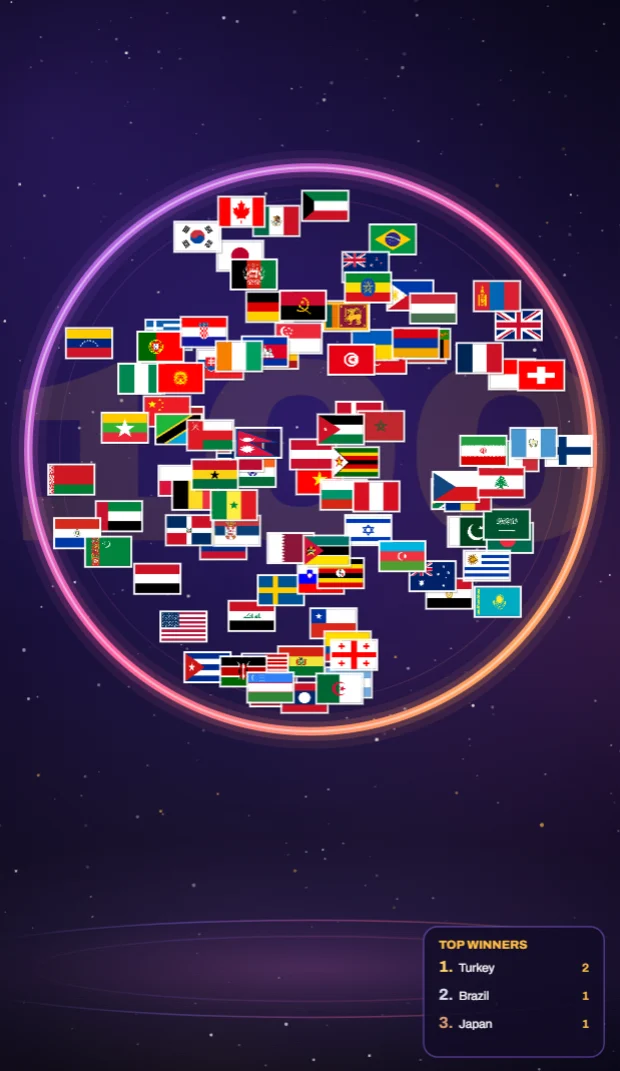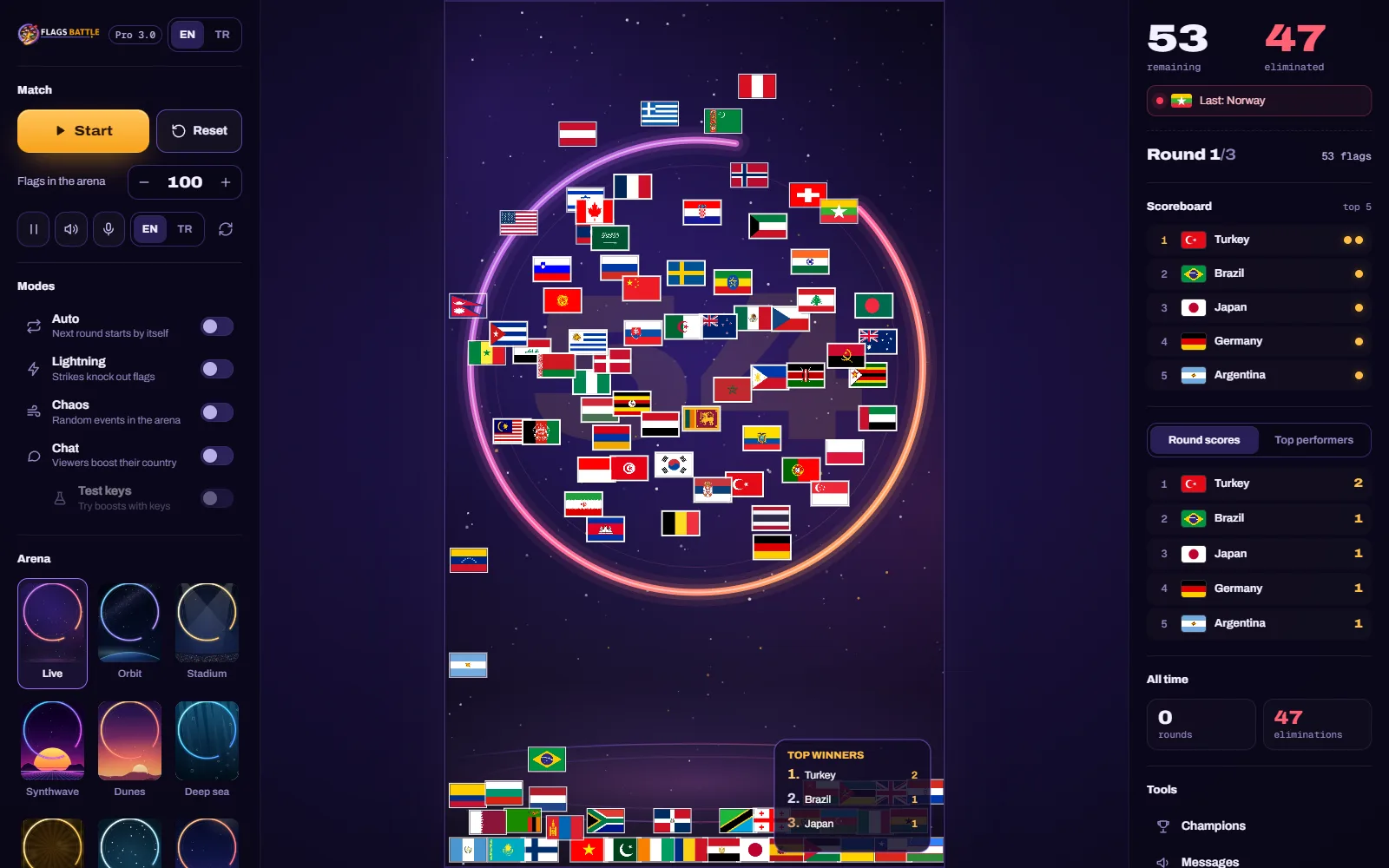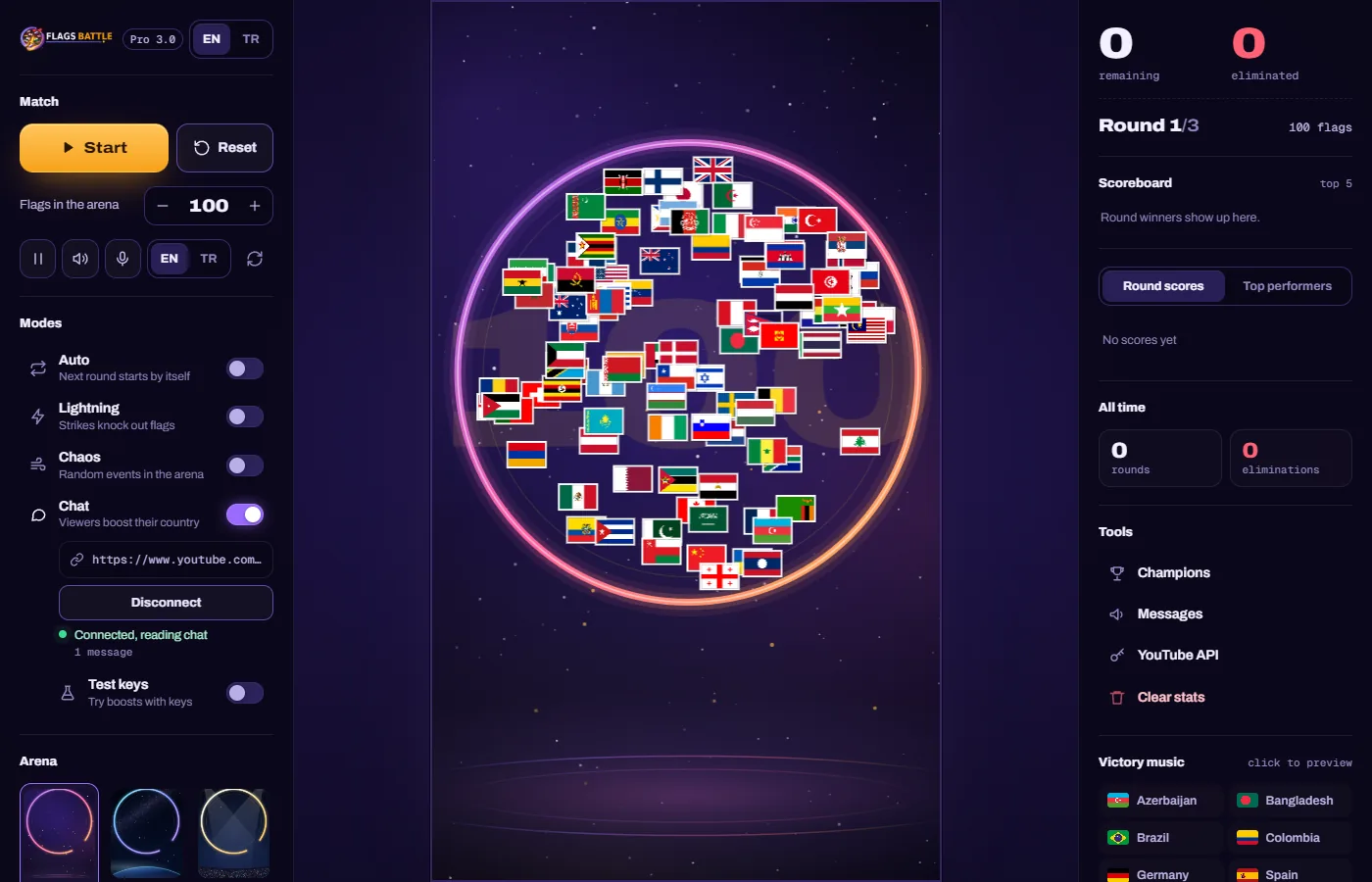
FlagsBattle opens into one screen, the control room. The left panel is where you run the show: the match, the modes, the arena and the countries. The arena in the middle is what your viewers watch; it is a tall 11:19 picture that fits a phone screen. The right panel keeps the score and holds the tools.
Your first battle in one minute
- Click Start. A 10-second countdown runs on the arena, with a beep each second.
- The flags fall into a turning ring that has one gap. A flag that slips through the gap is out of the round.
- The last flag left in the ring wins the round and the arena shows WINNER.
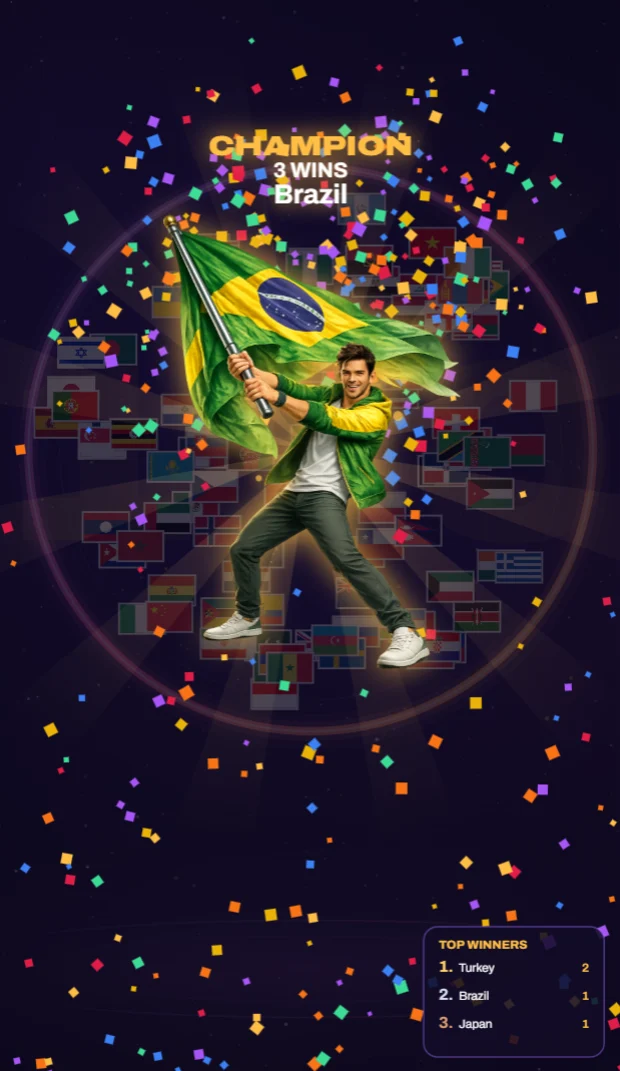
- Click Start again for the next round. The first country to win 3 rounds is CHAMPION, with its victory scene.
That is the whole game. You do not need a YouTube API key for it: the rounds, the modes, the arenas and the announcer all work on their own. The key only connects your live chat, so viewers can support their country (see below).
Match: Start, Reset and the flag count
- Start begins the countdown. Between rounds it starts the next round; after a champion it starts a new game.
- Reset stops everything, puts fresh flags in the arena and starts a new countdown at once. The round scores are kept.
- Flags in the arena is 100 by default (100 well-known countries). The − and + buttons take away or add 10 random countries; you can also type a number from 2 to 254 and press Enter. The number is locked while a round runs, so change it before you click Start, or between rounds.
- The small buttons under it: pause (freezes the arena; the round clock keeps going), sound (game sounds and victory music), the speaker voice on or off with its own EN / TR language, and reload, which reloads the game and turns the modes off.
How a round plays out
- After the countdown the gap opens. From 20 seconds the gap gets wider and the ring turns faster. At 30 seconds the arena shows TIMEOUT!: the gap becomes very wide and the ring spins fast, so the round ends soon.
- If every flag falls out, the last one to fall wins.
- The box on the right reads Round 1/3 and how many flags are playing. A game always runs until a country has 3 wins, so it can also read 4/3 or 5/3.
- Every flag comes back for the next round, and chat supports and shields start again from zero.
The modes
The switches in Modes can be turned on and off at any time.
- Auto (Next round starts by itself): the next round starts 5 seconds after a win, and a new game starts after the champion. It is off every time you open the game; turn it on for a show that runs by itself.
- Lightning (Strikes knock out flags): there is no gap; lightning strikes instead. A warning circle shows where it will hit, then every flag in it is out. Strikes come every 2.5 seconds at first and faster as flags drop. Shields do not stop lightning.
- Chaos (Random events in the arena): the ring shrinks, pulses, wanders and changes speed, and every few seconds an event named on the arena takes over for 3 seconds: Vortex, Wind force, Speed burst, Center pull or Chaos spin. Lightning and Chaos can be on together.
- Chat (Viewers boost their country): takes the supports from your live chat. See the next section.
- Test keys (Try boosts with keys): only with Chat on. Try supports from your keyboard before a stream: T Turkey, G Germany, U USA, B Brazil (+10 each), 8 five random supports, 9 +25 for the first flag in the arena, 0 clears them.
Hybrid mode is not a switch. When a round without Lightning has lasted 2 minutes and a country with chat support is still in it, the arena calls HYBRID MODE!: lightning strikes every 3 seconds and most strikes aim at supported flags, so long rounds come to an end.
Connect your live chat (optional)
This needs a free YouTube API key. Enter it once under Tools → YouTube API in the right panel; our API key guide shows how. Then, for every stream:
- Go live on YouTube and copy the link of your stream: from the watch page, the Share button or YouTube Studio. A channel link does not work; it has to be the live video itself.
- Paste it into the box under Chat in the left panel (Paste your YouTube live link) and click Connect. Chat turns on by itself.
- The line under the button turns green and reads Connected, reading chat, with a message counter.
The game remembers the link, and neither the link nor the key ever shows on the arena. Disconnect, or turning Chat off, stops reading the chat and saves your quota. If the line is not green, it tells you why:
- Not live: this stream has no active chat. The stream has not started yet, or its chat is turned off. Start the stream, then click Connect again.
- Video not found. Check the link. The link is mistyped, private, or belongs to another video.
- No API key. Add one in Tools → YouTube API.
- Today's API quota is used up. One key's free quota covers about an hour of chat. It resets at midnight Pacific Time (10:00 in Turkey in summer, 11:00 in winter). The API key guide explains your options.
- Stopped: the stream has ended. Paste the link of your next stream when you go live again.
- Chat server not reachable. Close FlagsBattle and open it again.
What your viewers can do
- Every flag emoji a viewer sends gives that country +1 support in the round. Every emoji counts, also several in one message. Writing kktc supports Northern Cyprus, when it is in the arena.
- Supports bring tiers, and tiers bring shields: Diamond at 10 supports (1 shield), Crown at 50 (2), Legend at 100 (3) and Champion at 500 (5). A tier also makes the flag a little faster, stronger and bigger.
- A shield saves a flag that falls through the gap: it comes back, and the arena shows SAVED! Lightning ignores shields.
- When a country has a tier, a TYPE YOUR FLAG IN CHAT! panel appears above the ring with the supported countries.
- Some territories and the UK nations (England, Scotland, Wales) have no flag emoji the game can read from chat. None of them is in the default 100.
Tell your chat how it works in the first minute; our live chat ideas help keep it busy.
Arenas, countries and Creator mode
- Arena: 11 scenes (Live, Orbit, Stadium, Synthwave, Dunes, Deep sea, Royal, Glacier, City, Studio and Aurora). The game remembers your choice. The 16:9 video mode switch hides both side panels for a clean picture; press Esc to bring them back. See vertical or 16:9.
- Countries: search by name or code, take countries out under In game and add others under Add more. At least 2 must stay. The arena takes your list when the flags are rebuilt, so click Reset after a change.
- Creator mode: tick Use creator mode and pick countries. While any other flag is still in the round, the chosen ones cannot fall through the gap and lightning skips them, so the winner is one of them. It is meant for planned showcases; in a stream where the chat decides, keep it off, and say so if you use it. Ticking it during a game resets the game.
The right panel and the tools
- At the top: how many flags are remaining and eliminated, and the last flag that went out.
- Scoreboard (top 5), Round scores and Top performers show the round wins of the current game. All time shows the rounds played in this game and the flags out in this round.
- Champions lists past champions. Messages holds 45 ready-made lines in 12 languages; click one and it is written over the arena for your viewers. YouTube API is where your key goes. Clear stats deletes the champions list and the round scores, after asking.
- Victory music: click a country to play its champion scene on the arena. Your viewers see and hear it; click again to stop.
The announcer and the sound
The announcer opens each round, names countries in the arena, calls the big eliminations and the last few flags, and announces the round winner and the champion, in English or Turkish. 22 countries have their own victory music; for them the music plays instead of the announcer's champion line. The sound button turns off the game sounds and the music; the announcer has its own microphone button.
Keyboard
Three things work from the keyboard: Esc leaves the 16:9 video mode, Enter applies a typed flag count, and the Test keys above. Everything else is a click.
If something goes wrong
- The flag count does not change. A countdown or a round is running (Reset starts a new countdown at once). Turn Auto off, let the round end, then change the number before you click Start.
- The next round does not start. Auto is off: click Start, or turn Auto on.
- Chat supports do not arrive. Read the line under Chat (see above); it names the problem.
- You do not see the live link box. Your app is older than 3.0.2. It updates itself: when the left panel shows Update ready, click Restart and update, or close and reopen the game.
Still stuck? Ask on the support board or write to contact@flagsbattle.com with a screenshot.